Looking for an AI voice recorder for journalists that captures interviews in person and over the phone, then hands you a clean transcript without eating your evening? The short answer: in 2026 the right workflow combines a reliable recorder that also captures calls, automatic transcription to save hours, and one non-negotiable rule: every quote you publish gets checked against the audio. Personally, I use Pocket to record and transcribe day to day, and I keep a classic offline recorder for the most sensitive sources.
I’m not a journalist by trade: this guide (updated September 2026) combines my daily use of Pocket (interviews, calls, meetings) with practices published by newsrooms and the official pages of each tool. Inside: the full interview workflow, the limits of AI, source protection and my pick.
What a journalist really needs from an AI voice recorder 🎯
A botched interview can’t always be redone. Even before talking about AI, five criteria matter:
- Reliable capture: instant start, local storage if the network drops.
- Both situations covered: face-to-face and phone interviews.
- A usable transcript: timestamped, split by speaker, linked to the audio.
- Searchable archives: finding in ten seconds what a source told you three months ago.
- Control over your data: knowing where files go and how to protect an anonymous source.
Step 1: prepare the interview (consent and ground rules) 📋
Announce the recording and get it confirmed
In the US, federal law and most states only require one party’s consent, but a dozen or so states (including California, Florida and Illinois) require everyone’s consent, and for a phone interview across state lines the stricter rule is the safe bet. In the UK, recording your own conversation is generally lawful, but the IPSO Editors’ Code (clause 10) restricts covert recording unless it is justified by the public interest. The practical rule is simple: say you’re recording, then get the agreement on tape at the start (“Are you OK with me recording this?”). That one sentence heads off disputes after publication. I cover the details in is it legal to record a conversation?.
Set the “off the record” rules
“Off the record”, “not for attribution”, “on background”: these terms have no universal legal definition, and newsrooms use them differently. Agree with your source before the interview. My trick: when someone goes off the record, I say it out loud (“we’re off the record from now on”) so the marker shows up in black and white in the transcript.
Prepare your gear
Charged battery, a ten-second test in the room. With Pocket, I also add my interviewee’s name and the technical terms of the story to the app’s custom vocabulary (word dictionary): that’s what keeps proper names from getting mangled. And for a make-or-break interview, I run a second recording in parallel (your phone is enough).
Step 2: record an in-person interview 🎙️
Transcript quality depends first on audio quality. A few field rules:
- Place the recorder between the two of you, on a stable surface, away from the coffee cup.
- Pick a quiet spot: noise degrades any transcript, AI or not.
- Don’t stop too early: the best lines often come when the notebook closes.
- State the date and context at the start: your archive will be far easier to read six months later.
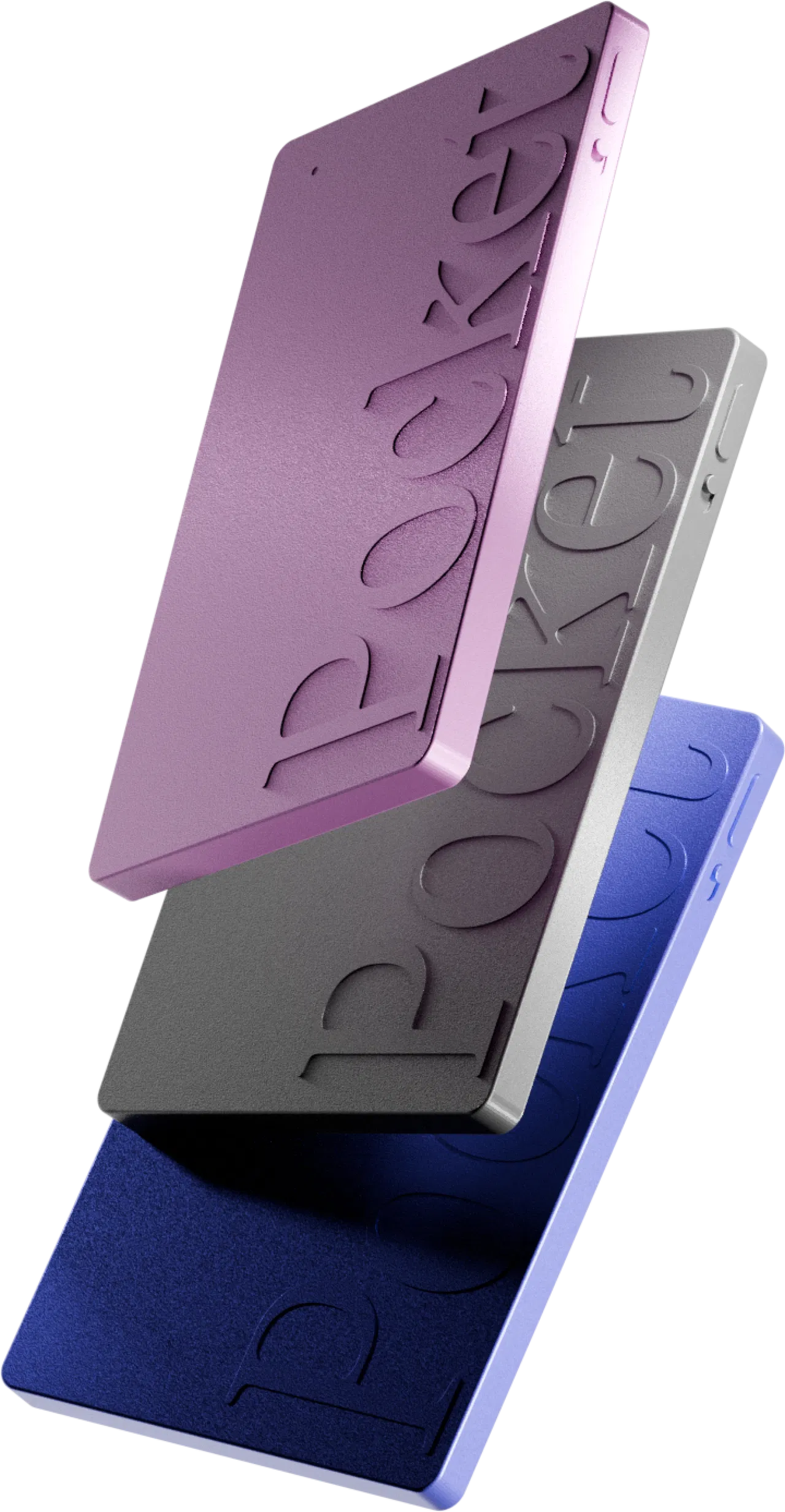
This is where Pocket won me over. One press on the side button starts recording, confirmed by a light and a vibration, without unlocking your phone or opening an app. Its two studio mics pick up voices up to 15 meters (49 ft) in a quiet room, with speaker separation, enough to cover a round table. The device records locally (64 GB), even offline, and syncs later.
The honest caveat, already noted in my full Pocket review: in very noisy places, transcription quality drops, as with any microphone. On the other hand, at 52 grams and the size of a credit card, your interviewee forgets it quickly.
Step 3: record a phone interview 📞
A source in another city, an expert between two meetings, a quick reaction on deadline: plenty of interviews still happen by phone.
The built-in iPhone method
Since iOS 18.1, the iPhone can record and transcribe a call, with an audible message that automatically lets the other person know. It’s free, but recordings land in the Notes app, with no way to search across all your interviews. I explain the method and its limits in how to record calls on iPhone.
Pocket’s call mode
Pocket has a third, “contact” microphone. Attached to the back of your phone with MagSafe during a regular call, it picks up both sides of the conversation through the phone’s vibrations, without using the speaker. You call your source as usual, then find the audio and transcript filed alongside your in-person interviews. In my use, the accuracy genuinely impressed me.
The limit to know: this mode is designed for cellular phone calls. For an interview over Zoom, Teams or Meet, where the sound goes through your computer, Pocket is impractical. And consent is just as required on the phone.
If you want one device for the field and the phone, with unlimited transcription and no subscription, this is the one I use:
Step 4: transcribe, which tool should you pick? 🧾
Transcribing by hand takes several times the length of the audio; AI brings that down to a few minutes, plus proofreading. The most common options, with prices listed by each vendor in September 2026:
Otter
Hugely popular in English-speaking newsrooms. Free plan with 300 minutes a month and a 30-minute cap per conversation; Pro at $16.99 a month ($8.33 billed annually) and Business at $30 ($19.99 annually), according to its website. Built first for online meetings.
Trint
Designed for newsrooms, and the priciest: around $80 per user per month for the entry plan, billed annually and capped by number of files, according to published comparisons.
Happy Scribe
A European vendor popular with multilingual reporters. Basic at $17 a month (120 minutes), Pro at $29 (600 minutes), cheaper when billed annually, plus human transcription from about $2 per minute.
Descript
A text-based audio and video editor, ideal for podcasts. Free plan with one hour of media a month, then paid plans from about $16 a month.
Whisper, running locally
OpenAI’s open-source model can run on your own computer: free, and nothing leaves your machine. It takes a bit of setup and is not immune to errors.
Nothing to upload: whatever Pocket records is transcribed automatically, timestamped, split by speaker, and transcription is unlimited with no subscription. The free plan uses standard accuracy; the optional Pro plan (around $19.99 a month) adds high-accuracy transcription and automatic speaker detection. You can also choose the AI model that writes your summaries (Gemini, GPT or Claude depending on updates), in more than 120 languages. To go further, see my AI voice recorder with transcription comparison and my Plaud vs Pocket vs Otter face-off.
Step 5: check every quote against the audio ⚠️
This is the most important rule in this guide: an AI transcript is a draft, never a source. Speech recognition models get proper names, numbers, negations and accents wrong. They can even “hallucinate”: in October 2024, an Associated Press investigation reported that researchers had found sentences in Whisper transcripts that nobody had ever said. A fabricated quote in a published story is a professional failure.
My verification routine:
- Every quote is checked against the audio: I click the timestamped passage, listen again, fix it.
- I distrust numbers, dates and negations: “I never said that” quickly becomes “I said that”.
- A summary is never a quote: it paraphrases, it helps you find your way.
- Misheard proper names go into the app’s vocabulary.
- If a passage is inaudible, I call the source back rather than guess.
With Pocket, this check is quick because the audio stays attached to the transcript: built-in player with a waveform, word search, playback of the exact passage, a name for each speaker. A quote takes two minutes to verify.
Step 6: archive and find your interviews 🗂️
The real payoff of AI is being able to dig through hundreds of hours of interviews. With Ask Pocket, I ask a question in plain language about all my conversations: “What did my contact at city hall say about the roadworks budget?”, “List the figures quoted on this story this month”. The AI searches every interview for the answer. The free plan limits Ask Pocket to 2 messages a day; Pro makes it unlimited.
To stay organized, I use folders and tags (one folder per story, one tag per interviewee) and export the original audio to my own storage. Worth knowing: on the free plan, summaries are kept for 30 days, while Pro keeps them for life with unlimited cloud history. If your archive is your raw material, Pro is justified.
Source protection and cloud data security 🔒
In the US there is no federal shield law: protection for journalists’ sources depends on state shield laws and case law, which vary widely. In the UK, section 10 of the Contempt of Court Act 1981 protects sources unless disclosure is deemed necessary, and clause 14 of the IPSO Editors’ Code sets a moral obligation to protect confidential sources. But no law protects a file you handed to the wrong provider.
Two episodes show the risk. In 2022, a Politico reporter who had recorded an interview with a Uyghur activist using Otter received a message from the company the next day asking about the purpose of that recording. And in August 2025, a class action was filed in California against Otter, accused of recording meetings without every participant’s consent and using that data to train its AI (allegations the court has yet to decide).
My practical rules:
- Anonymous or at-risk source: no cloud at all. An offline recorder (Sony, Olympus or a Zoom H1essential for around $100) and local transcription with Whisper.
- Everything else: I read the data policy (encryption, storage location, AI training).
- Codes, not names, in file titles and tags.
- Housekeeping: I delete what no longer needs to be kept.
On Pocket’s side, the commitments are: end-to-end encryption, HIPAA compliance, data stored on the device or on US servers, never sold or shared, and no AI training without consent. But US hosting remains subject to US law and legal requests: for a truly exposed source, I stick with the 100% offline option. Plaud, for its part, lists more formal certifications (ISO 27001, SOC 2 Type II, GDPR), a real plus if your newsroom requires them.
Who is it for? Real-world cases 🧩
- Freelancers and local reporters juggling field interviews and calls: Pocket covers both, with no subscription.
- Investigative journalists: Pocket for day-to-day work, an offline recorder and local Whisper for sensitive sources.
- Radio journalists and podcasters: a dedicated recorder for broadcast quality, then Descript. Pocket is not a studio mic.
- Newsrooms that work mostly over video: Otter, Trint or Plaud’s desktop app (which captures Zoom, Meet and Teams since January 2026).
- Journalism students: Pocket for interviews and lectures, with no monthly bill.
Summary: which tool for which interview step? 📊
The whole workflow at a glance:
FAQ – AI voice recorder for journalists ❓
Can I record an interview without telling the person?
It depends on where you and your source are: one-party consent applies federally and in most US states, but not in all-party consent states, and UK press codes restrict covert recording. The professional default is to announce the recording and get consent on tape. This isn’t legal advice: when in doubt, check with your newsroom’s lawyer.
Is an AI transcript enough to quote a source?
No. It saves time, but every quote must be checked against the audio: proper names, numbers and negations are the classic traps.
Does Pocket record phone interviews?
Yes, with its call mode: the contact mic, attached to the back of the phone with MagSafe, captures both sides of a regular call. For video interviews (Zoom, Teams, Meet), it is impractical.
Does Pocket transcribe interviews in other languages?
Yes, transcription handles more than 120 languages and dialects.
Which tool should I use for a confidential source?
An offline recorder, with no account or cloud, and local transcription (Whisper). Pocket encrypts data, but stores it on the device or on US servers: I keep it for everyday interviews.
Do I need a subscription to transcribe interviews with Pocket?
No. Audio, transcription and summaries are unlimited with no subscription. The Pro plan (around $19.99 a month) is optional.
My pick for recording and transcribing interviews 🏁
If you’re looking for an AI voice recorder for journalists, my pick is clear: Pocket for 90% of interviews, because it covers in-person (15 m, two studio mics) and phone (contact mic) with a single press, transcribes with no limit and no subscription, and makes your archive searchable with Ask Pocket. For truly sensitive sources, I keep an offline recorder and local transcription. And I always check every quote against the audio: AI saves hours, it doesn’t sign the story.
Pocket costs around $129 (roughly €129 in Europe) as a one-time purchase, up to 45% off right now, with a 30-day money-back guarantee so you can try it on your next interviews. To compare with other models, my best pocket voice recorder ranking is up to date.
This article reflects my personal experience and contains affiliate links: if you buy through them, I may earn a commission at no extra cost to you.