The short answer: the best voice recorder for lectures is one that actually helps you study, which means an AI recorder that transcribes with no minute cap and no subscription. My pick for students in 2026 is Pocket: around $129 (about €129 in Europe) one time, a range of up to 15 m / 49 ft that covers a seminar room or the front half of a lecture hall, and unlimited transcription turned into summaries and mind maps. If your budget is close to zero, your phone’s recorder app will do in a pinch, but you will lose hours re-listening.
Before you buy anything, two things matter more than the microphone: whether you are allowed to record your lecturer (yes, there are rules) and how you will actually use the recordings. In this guide I cover the basic rules, my criteria for a student budget, my concrete study method (notes, mind map, self-quizzing) and my final pick. Updated September 2026.
Are you allowed to record a lecture? ⚖️
This is the first question to ask, and the answer is more nuanced than yes or no. This is not legal advice, just the guidelines I follow.
In the US, the rules mostly come from your school, not from wiretap laws: many universities and individual instructors set a recording policy in the student handbook or the syllabus, and some ban recording without permission. Even where recording is allowed, the lecture content belongs to the instructor or the institution, so sharing it (a class Discord, YouTube, a paid notes site) without consent is a different matter. If you have a disability, the rule is on your side: under Section 504 regulations (34 CFR 104.44), a college may not impose rules such as a ban on recorders in class that limit the participation of students with disabilities. Go through your disability services office to get it in your accommodation letter.
In the UK, lecturers and their universities hold copyright and performers’ rights in lectures, and most universities publish a recording policy. Many allow audio recording for personal study, some require the lecturer’s consent first, and nearly all forbid sharing recordings. Under the Equality Act 2010, recording or transcripts are common reasonable adjustments for disabled students, arranged through your university’s disability service.
My simple rule: I ask. A quick word after the first class (“can I record for my own revision, without sharing it?”) settles almost everything. For the wider rules on conversations and calls, see my guide Is it legal to record a conversation? Consent rules in the US and UK.
What matters in a voice recorder for students 🎯
Here are the four criteria I check, in order.
1. Microphone range (the real test is the lecture hall)
In a seminar you are 2 or 3 meters from the speaker. In a lecture hall it is often 8, 10 meters or more, with chairs, laptops and chatter. A phone lying on your desk picks up your neighbor far better than the professor. Aim for a device rated for whole rooms, and sit near the front: no microphone works miracles in the back row of a 400-seat hall.
2. Battery life over a full day
A busy day can mean 6 to 8 hours of classes. Your phone won’t last recording all of it: a dedicated device with several days of battery makes life much easier.
3. What happens after you hit record
Honestly, you will almost never re-listen to a two-hour audio file. What saves time is a searchable transcript, a structured summary and the ability to ask questions about the lecture.
4. Total cost across your degree
What counts is what you pay over three or four years. A cheaper device with a mandatory subscription can end up costing two or three times more. I ran the numbers model by model in AI voice recorder with no subscription: the real cost of each model.
Your options for recording lectures, compared 🎙️
Here are the five families of solutions. For competitors, I rely on official product pages and published reviews, not on a personal test.
Your smartphone’s recorder app (free)
The logical starting point. Recent built-in apps can record and, depending on your phone and OS version, offer basic transcription. Great in a pinch, but the mic is designed for speaking close to the phone, the battery drains fast, and you get nothing you can actually revise from.
A classic Sony or Olympus recorder (~$50 to $110)
Sony (ICD series) and Olympus recorders are still reliable: good mic, long battery life, 100% offline, simple USB transfer. The Sony ICD-UX570, for example, typically sells for roughly $80 to $110 depending on the retailer. The catch for a student: you walk away with hours of raw audio, and all the transcribing and summarizing is still on you.
Otter and Notta (freemium software)
Otter and Notta transcribe and summarize, but their free tiers are tight for lectures. According to Otter’s pricing page, the free plan gives you 300 minutes a month and caps each conversation at 30 minutes, so a two-hour lecture gets cut off; Pro costs about $16.99 a month (or around $8.33 a month billed annually), with a 20% student discount for .edu email addresses. Notta lists 120 free minutes a month with very short sessions, and Pro at around $9.99 a month. And in a lecture hall, both depend on your laptop or phone microphone.
Plaud Note (~$159)
Plaud is the established leader, with a very mature app. For students, two things get in the way: the free plan is capped at 300 minutes a month (barely two or three lectures), after which you need a subscription; and the stated range is around 3 m / 9.8 ft, which is short for a lecture hall. Plaud does keep the edge on speaker separation included by default and on its wide range of export formats.
A subscription-free AI recorder: Pocket
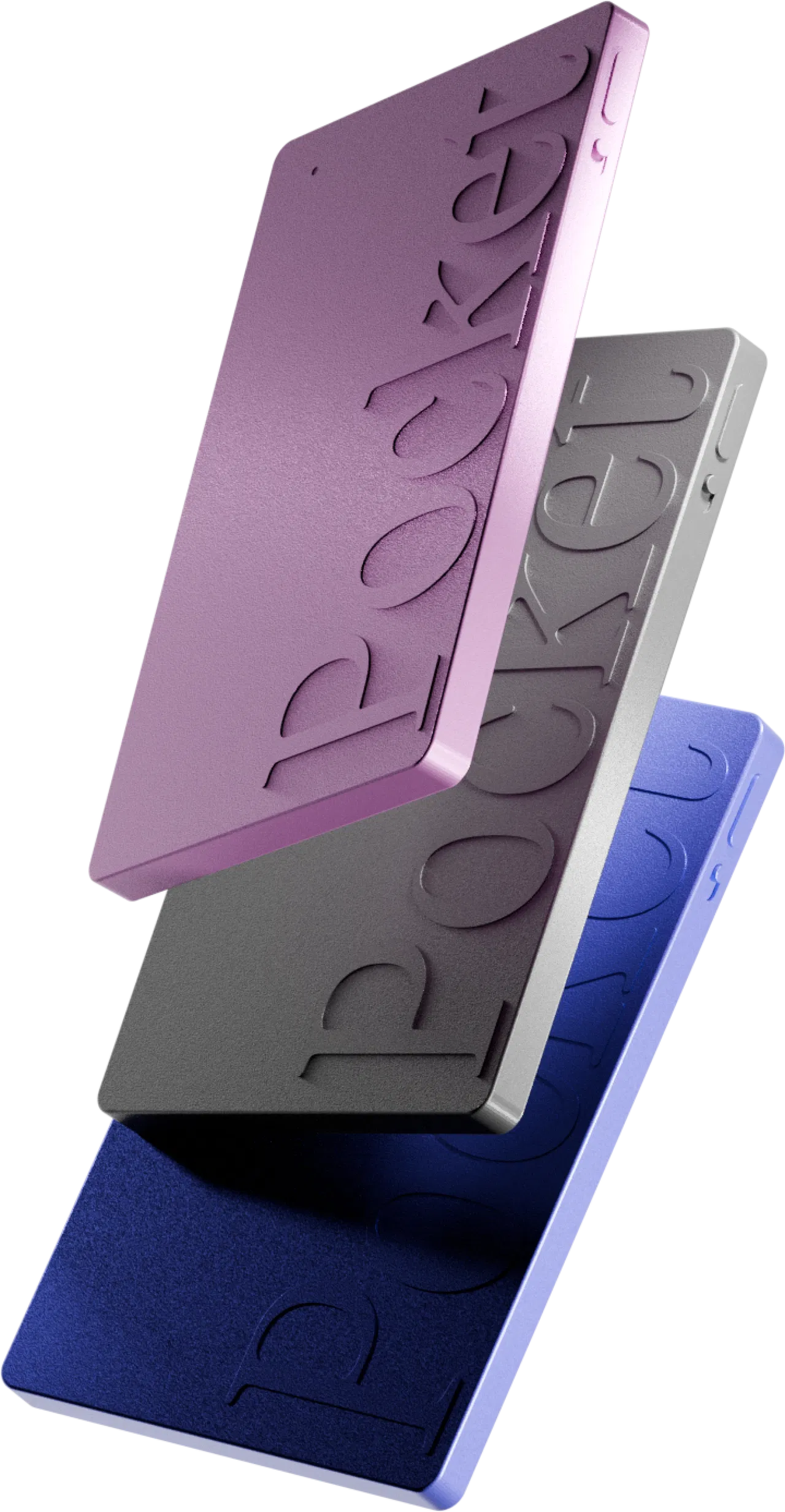
This is the option I use and recommend for lectures. Pocket is a 52 g, credit-card-sized device with a single button. One press and it records, even with no connection (64 GB on board), then syncs to the app. Its stated range reaches 15 m / 49 ft in a quiet room, the battery lasts up to 4 days of active use, and above all audio, transcription, summaries and mind maps are unlimited with no subscription. It recognizes 120+ languages, which helps if you take classes in a second language.
To be fair about its limits: transcription quality drops in very noisy environments (as with any mic), you need your phone nearby to sync, and it is not built for online classes on Teams or Zoom. For the full picture, read my complete Pocket AI review.
My study method with an AI recorder 📚
Recording is 10% of the job. Here is my concrete method, in four steps.
During the lecture: listen, don’t transcribe
I start recording with one press at the beginning of class and put the device in front of me. I no longer write everything down: I only note what audio can’t capture (diagrams on the board, slide numbers, “this will be on the exam”).
The same evening: a study sheet in 15 minutes
Once synced, Pocket gives me a time-stamped transcript and a structured summary with headings and key points. I don’t keep that summary as is: I read it, fix any mis-transcribed terms (and add them to the custom word dictionary for next time), then paste it into my course notes as a study sheet. My template:
- the 3 to 5 key ideas of the lecture, one sentence each;
- exact definitions, copied from the transcript;
- the examples the lecturer gave;
- anything flagged as important for the exam.
On the weekend: a mind map to connect the chapters
For dense lectures, the auto-generated mind map is my favorite tool. It breaks the class into themes and sub-branches, so I see the structure of the chapter at a glance and what links to what. I use it as my revision outline, then add the connections between chapters by hand.
Before exams: self-quizzing with Ask Pocket
Ask Pocket lets you ask a question in plain language about your recordings. I use it as a study partner: “What were the three conditions mentioned for…?”, “Summarize what the professor said about this author”, “List the concepts I need for chapter 4”. I answer from memory first, then check. That is active recall, far more effective than re-reading.
One thing to know: on Pocket’s free plan, Ask Pocket is limited to 2 messages a day and summaries are kept for 30 days. That is easy to manage if you copy your study sheets into your own notes as you go. Audio and transcription stay unlimited. The Pro plan (around $19.99 a month) is only worth it if you want full history and unlimited Ask Pocket during exam season.
Student budget: what does it really cost? 💶
A simple calculation for 15 to 20 hours of lectures a week, so 60 hours or more a month.
- Phone app: $0, but your time pays the bill.
- Classic recorder: $50 to $110 once, plus dozens of hours of re-listening or manual transcription.
- Otter or Notta: free tiers (120 to 300 minutes a month) cover only a handful of lectures; beyond that, it is a monthly subscription all year.
- Plaud Note: around $159 plus a subscription as soon as you pass 300 minutes a month, which is in your first week of classes.
- Pocket: around $129 once (often less with the up to 45% discount), then $0 for audio, transcription and summaries.
Over a three- or four-year degree, the gap with a subscription-based option quickly runs into hundreds of dollars. If you are still torn between the two market leaders, my Pocket vs Plaud comparison goes through every point.
Who is it for? Real-life cases 🧑🎓
The first-year student in big lecture halls
Crowded rooms, fast delivery, no slides shared. The 15 m range and unlimited transcription let you capture everything, then catch up in the evening on what went by too fast.
The student taking classes in another language
Study abroad, international programs, classes taught in English as a second language: reading the transcript at your own pace and asking questions about the lecture helps you miss nothing.
The student with an accommodation
If note-taking is hard for you, a recorder that transcribes and summarizes automatically is a strong complement to the accommodations approved by your disability services office.
Who doesn’t need it
If all your classes are online, transcription software is enough. And if you only record a lecture now and then, your phone app will do. For a wider overview, see my ranking of the best pocket voice recorder.
FAQ – Best voice recorder for lectures ❓
Can I record a lecture without asking the professor?
It depends on your school’s policy and the syllabus, and the lecture content is protected. Recording for strictly personal study is often allowed, but I always recommend asking, and never sharing the recording without consent.
What is the best recorder for a large lecture hall?
A device with long range and built-in transcription. Pocket is rated for up to 15 m / 49 ft in a quiet room; sit near the front for the best results.
Do I need a subscription to transcribe my lectures?
Not with Pocket: transcription and summaries are unlimited on the free plan. Otter, Notta and Plaud cap their free tiers in minutes, which won’t cover a full semester.
Does it work for lectures in other languages?
Yes, Pocket recognizes 120+ languages. You can also add technical terms from your subject to the custom word dictionary.
My pick for recording lectures 🏁
If you are looking for the best voice recorder for lectures, and above all a faster way to study, my pick is clear: Pocket. Not because it records better than a Sony, but because it does the work that comes after: unlimited transcription, a summary for your study sheet, a mind map for your revision outline and questions to test yourself, all for a one-time purchase of around $129, with no subscription for your entire degree.
Plaud is still a very good device if you are fine with a subscription, and a classic recorder remains the cheapest route if you only want audio. But for a student recording several lectures a week, Pocket offers the best ratio of cost to time saved. Ask your lecturers first and keep your recordings to yourself. It comes with a 30-day money-back guarantee, enough to try it over your first weeks of the semester.
This article may contain affiliate links: if you buy through them, I may earn a commission at no extra cost to you. It does not influence my pick.