Looking for an honest Pocket AI Thought Companion review? Here it is. The Pocket AI Thought Companion is Pocket’s name for its small, screenless personal AI assistant: it records your conversations and turns them into transcripts, summaries and answers. In our testing plus aggregated owner reviews it earns a solid 4.5/5 – excellent quiet-room transcription, unlimited recording and no forced subscription. Below is the full picture, from how it works to what it’s like to live with day to day.
What is the Pocket AI Thought Companion?
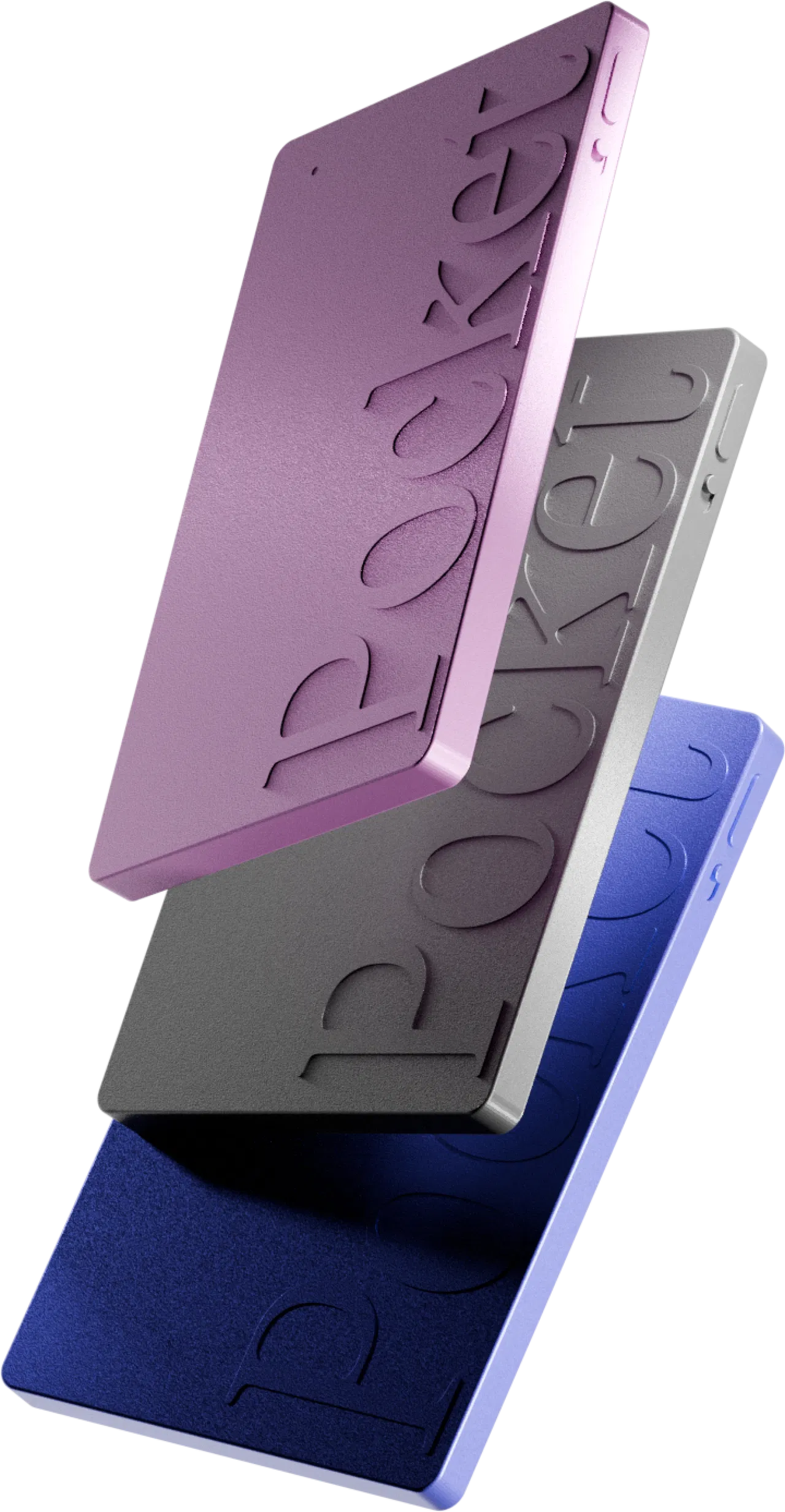
If you’ve seen the marketing, the Pocket thought companion (also sold as the Pocket AI personal assistant) is a business-card-sized device that clips to your phone with MagSafe or sits in a pocket. It has one button, no screen, and a companion app. You press once, it captures the conversation, and the app returns a transcript, a summary, action items and a mind map – plus Ask Pocket, which lets you question any recording in plain language. In short, the “thought companion” framing is about capturing what you say and think out loud, then making it searchable.
How the Pocket AI Thought Companion works: the two recording modes 🎙️
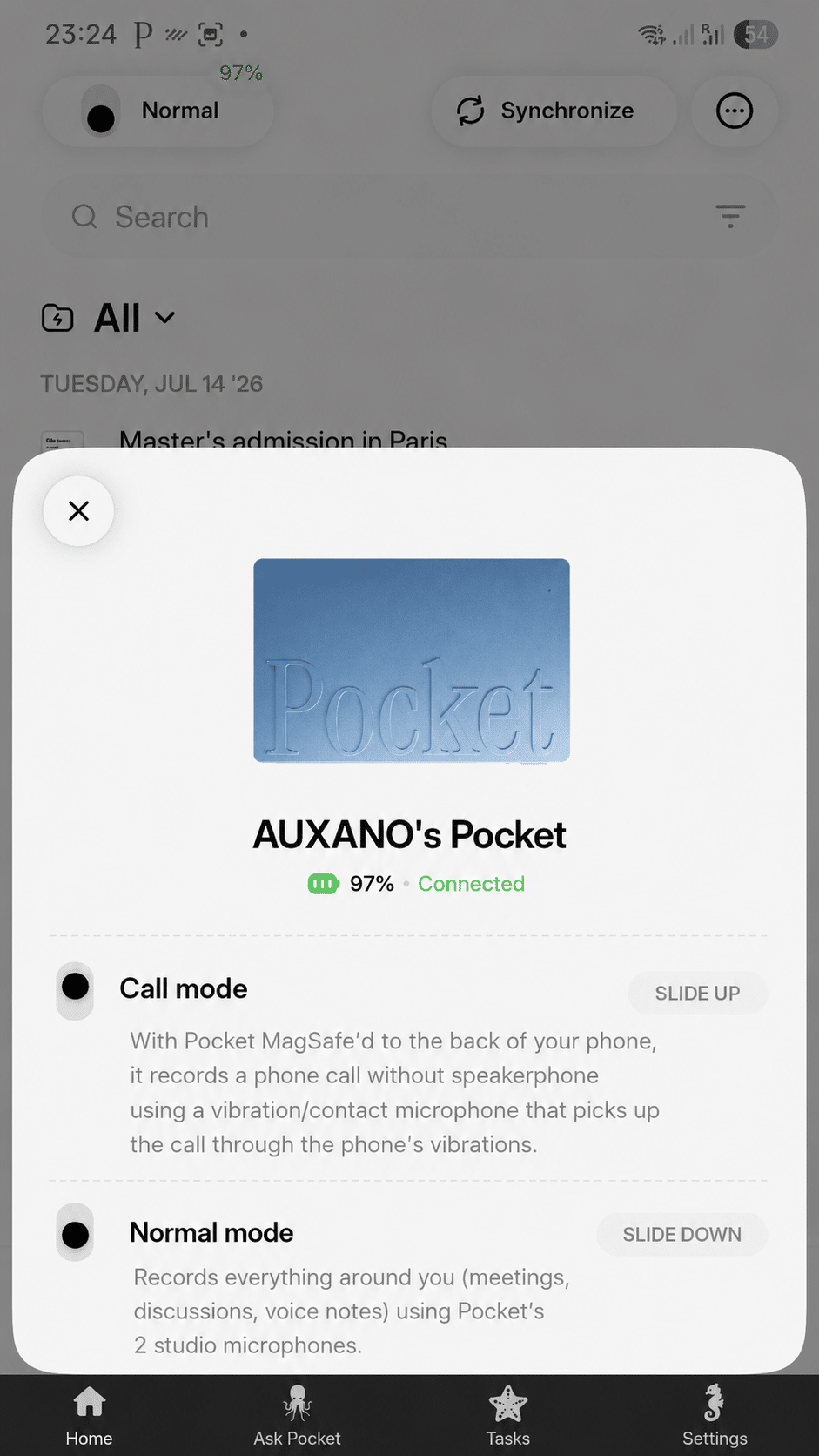
What most Pocket AI Thought Companion reviews skip is how simple it is day to day. One button, two recording modes, and switching between them is the whole learning curve.
Normal mode: in-person conversations
In normal mode, dual studio microphones capture the room – a meeting, a lecture, a coffee chat. You press once, a small LED confirms it’s recording, and you forget about it. Because it rides on the back of your phone or sits in a pocket, nobody treats it as “a recorder”.
Call mode: phone calls
Flip the side switch to call mode and it captures phone calls through a contact microphone near the earpiece. In testing it handled mobile calls cleanly – the detail that wins a lot of pocket ai personal assistant buyers, because calls are exactly what laptop note-takers can’t hear.
Syncing your recordings
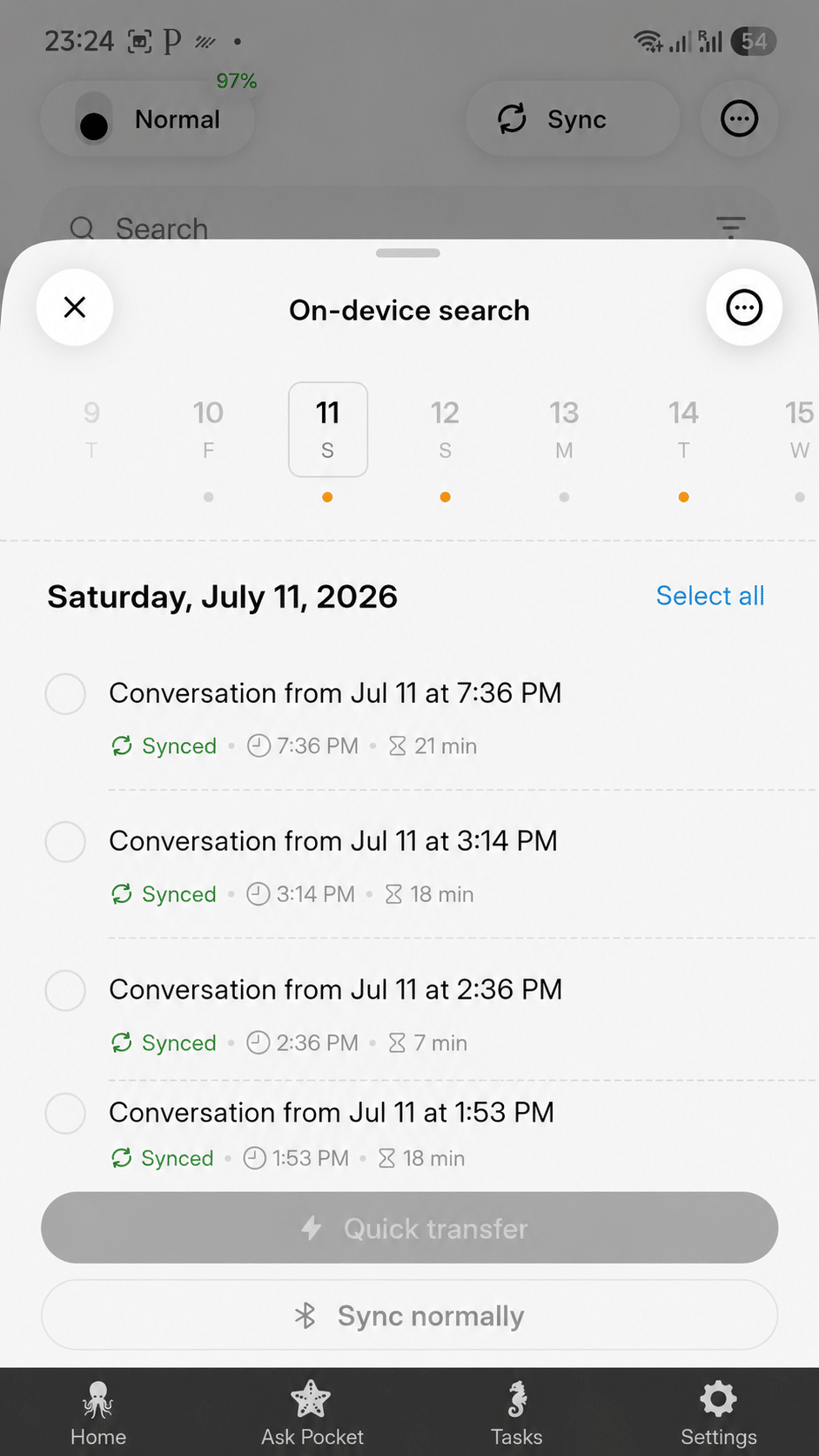
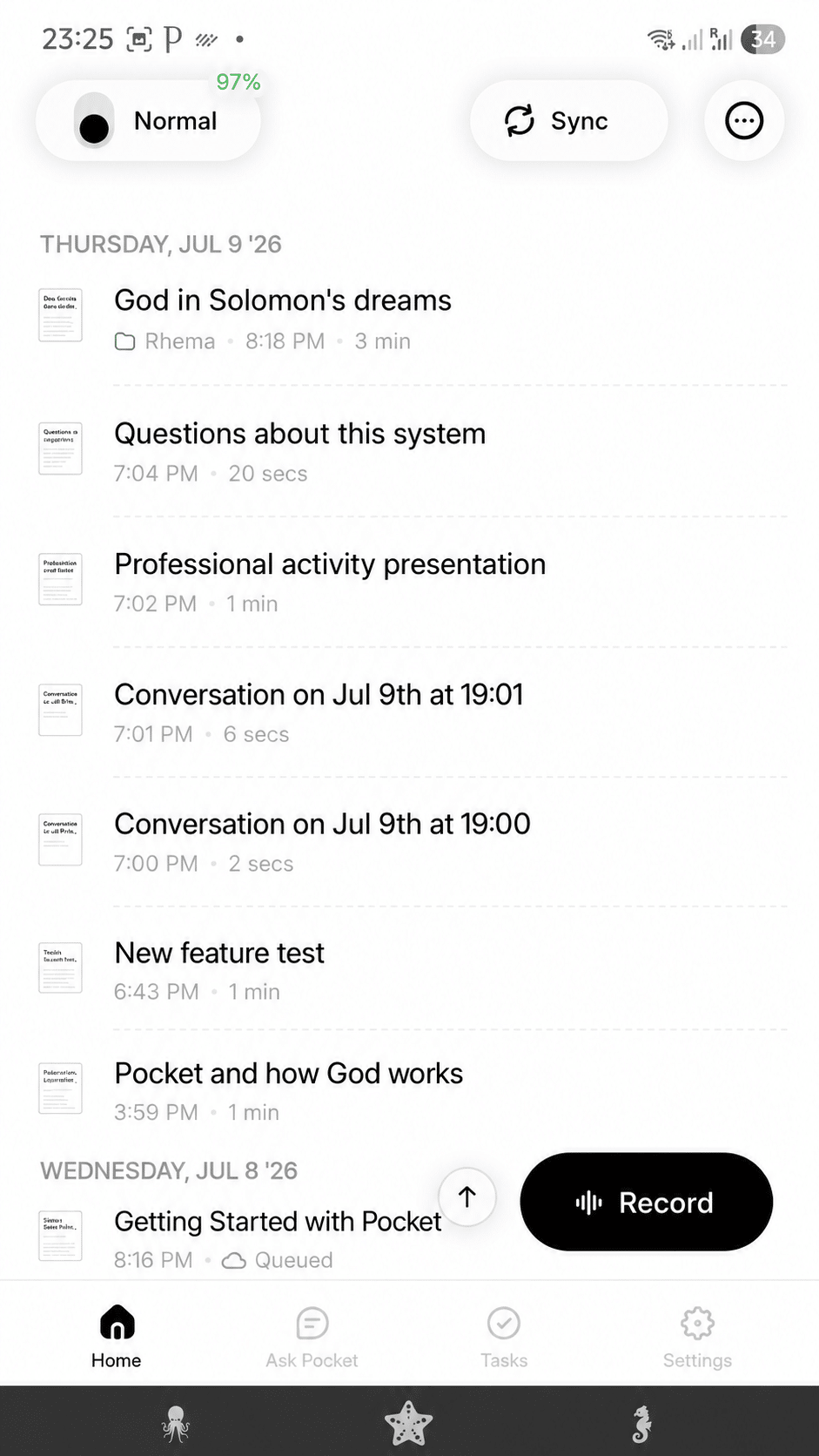
Open the app and recordings sync over Bluetooth, then process in the cloud – fast transfer or normal background sync. Within a minute or two the transcript, summary and tasks are waiting for you.
What Pocket does with your conversations (the real strength) 🧠
The recorder is just the front door. What actually earns the rating in this Pocket AI Thought Companion review is what the app does with every conversation – automatically.
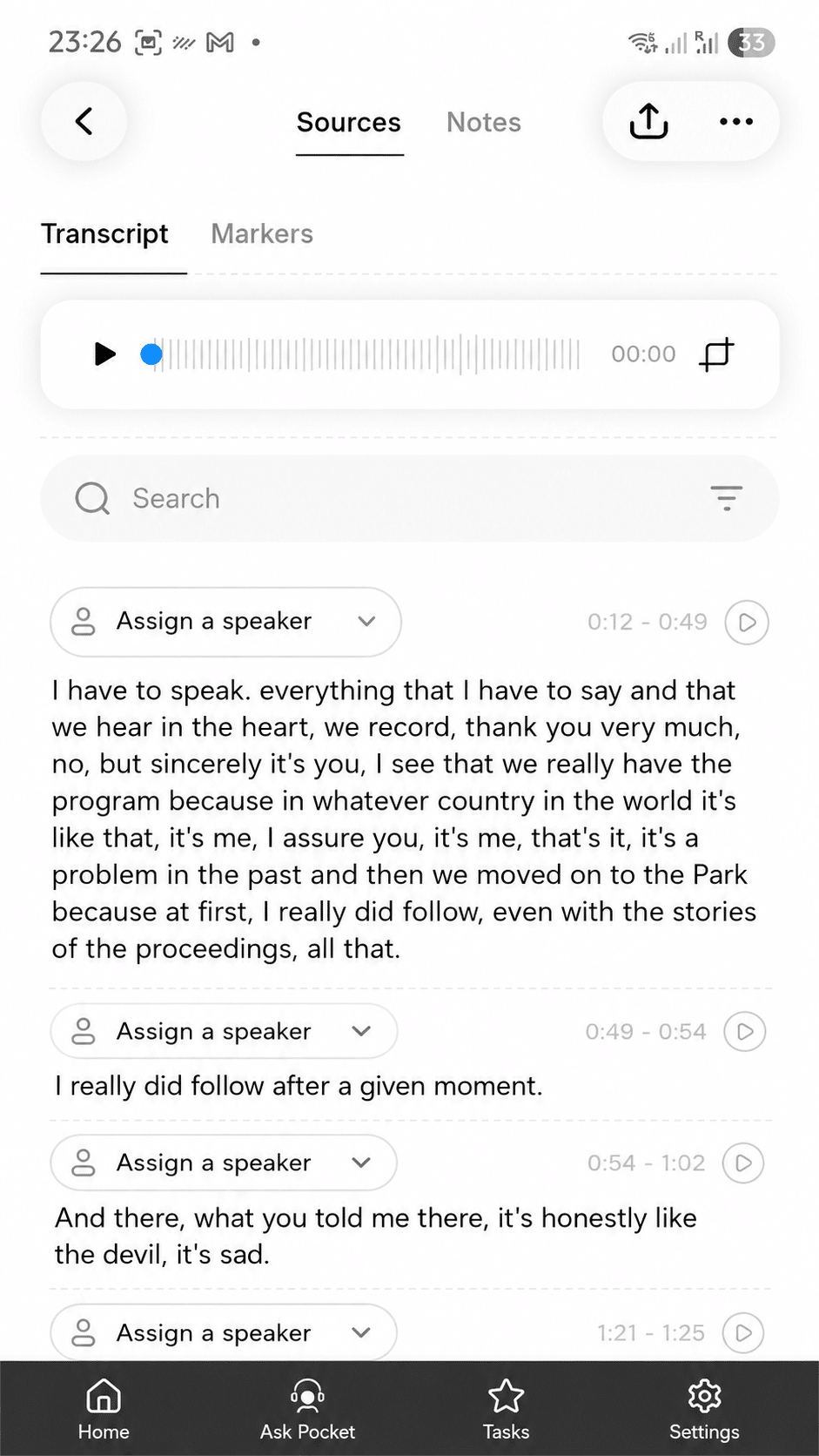
The transcript
Every recording becomes a full, speaker-split transcript you can read and search. Accuracy is excellent for clear voices in a quiet room and solid on calls; it dips in loud, overlapping group talk, and proper nouns are occasionally off – so you skim rather than trust blindly.
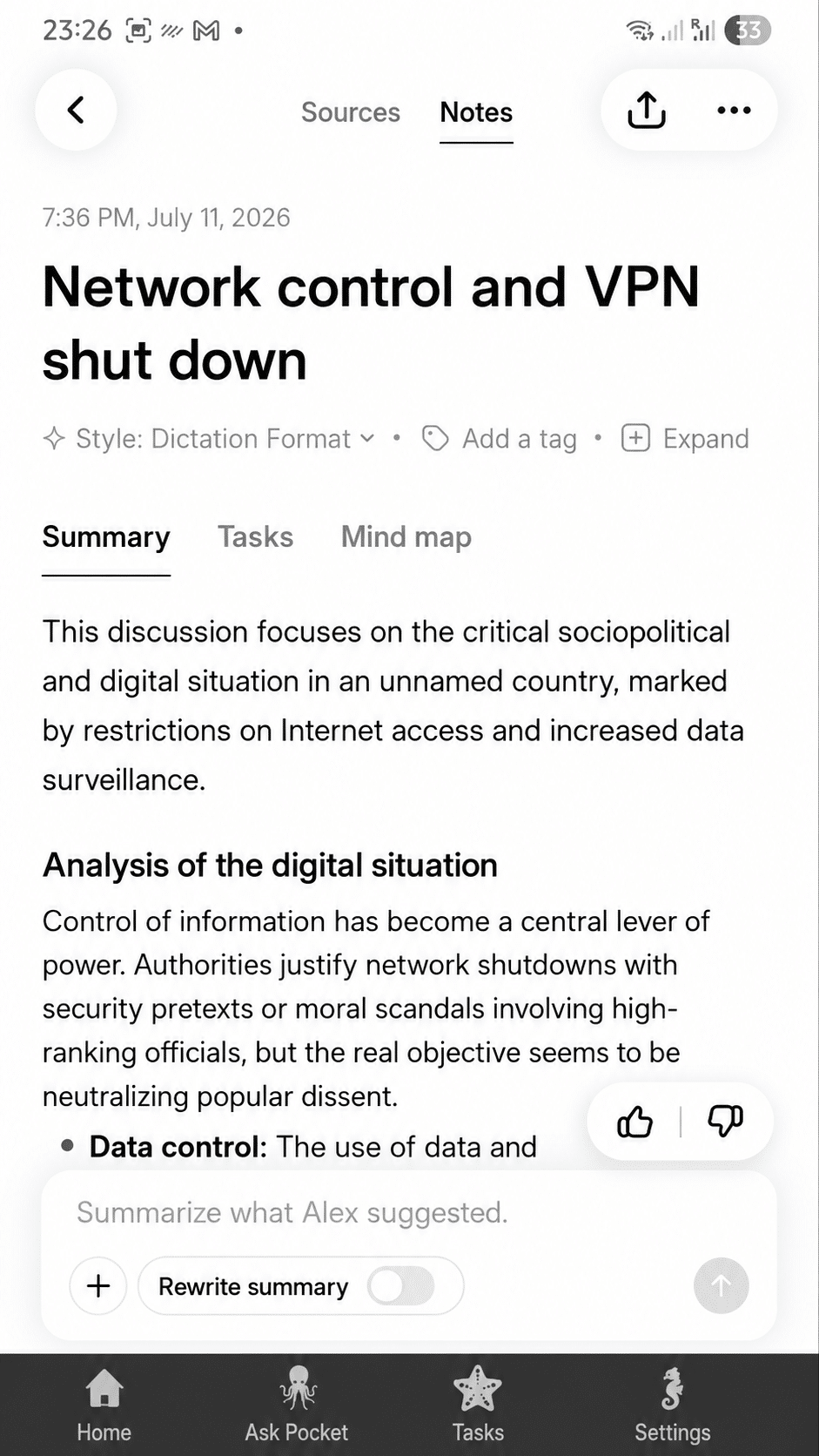
The summary
Above the transcript sits a concise summary with bullet-point highlights. In practice it captures the decisions and the tone of a meeting well – what you actually re-read later.
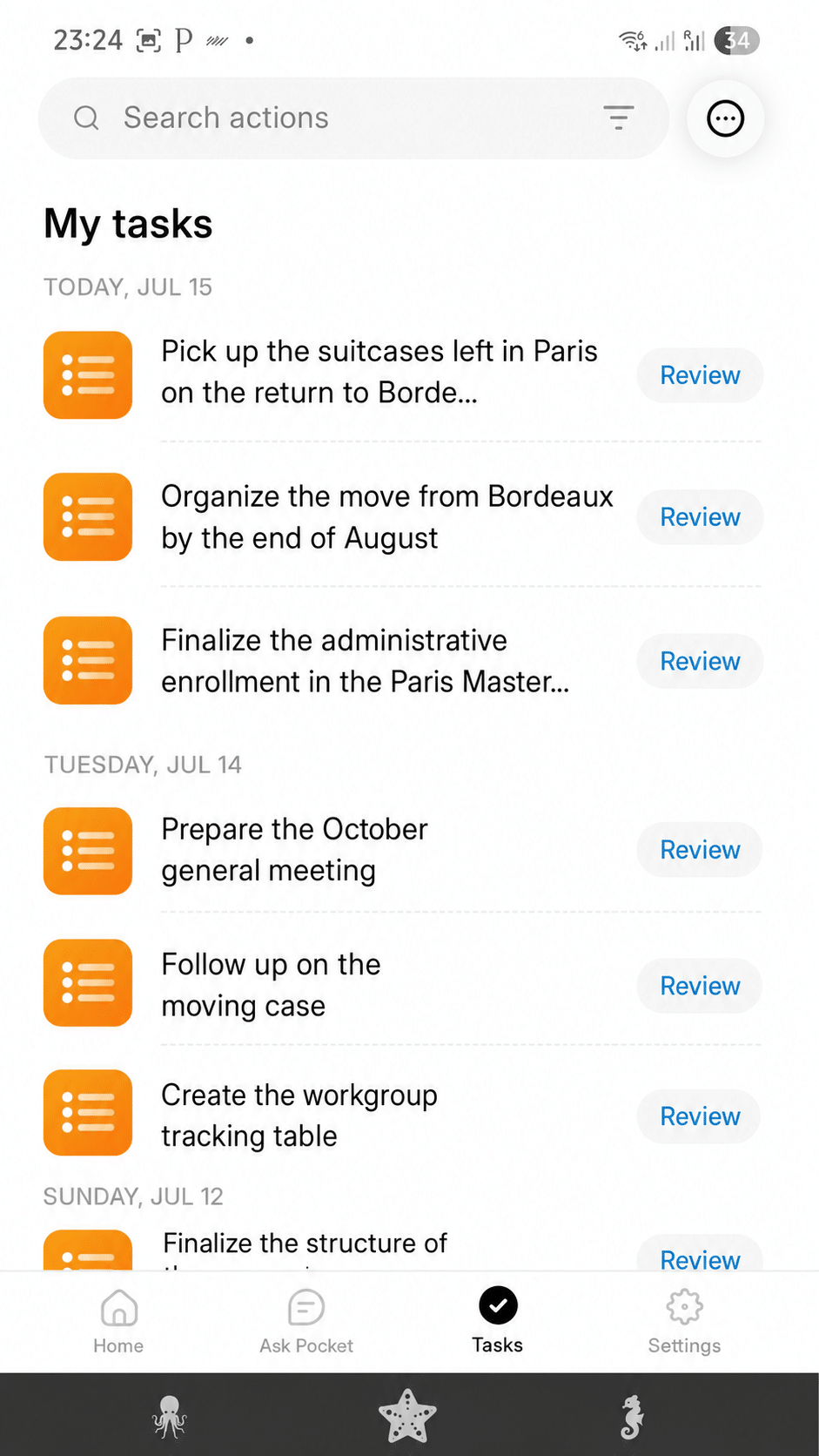
The action plan (tasks)
Pocket pulls action items into a dedicated task list and even assigns suggested owners when names are spoken. For anyone running projects, this turns a recording into follow-up you can act on.
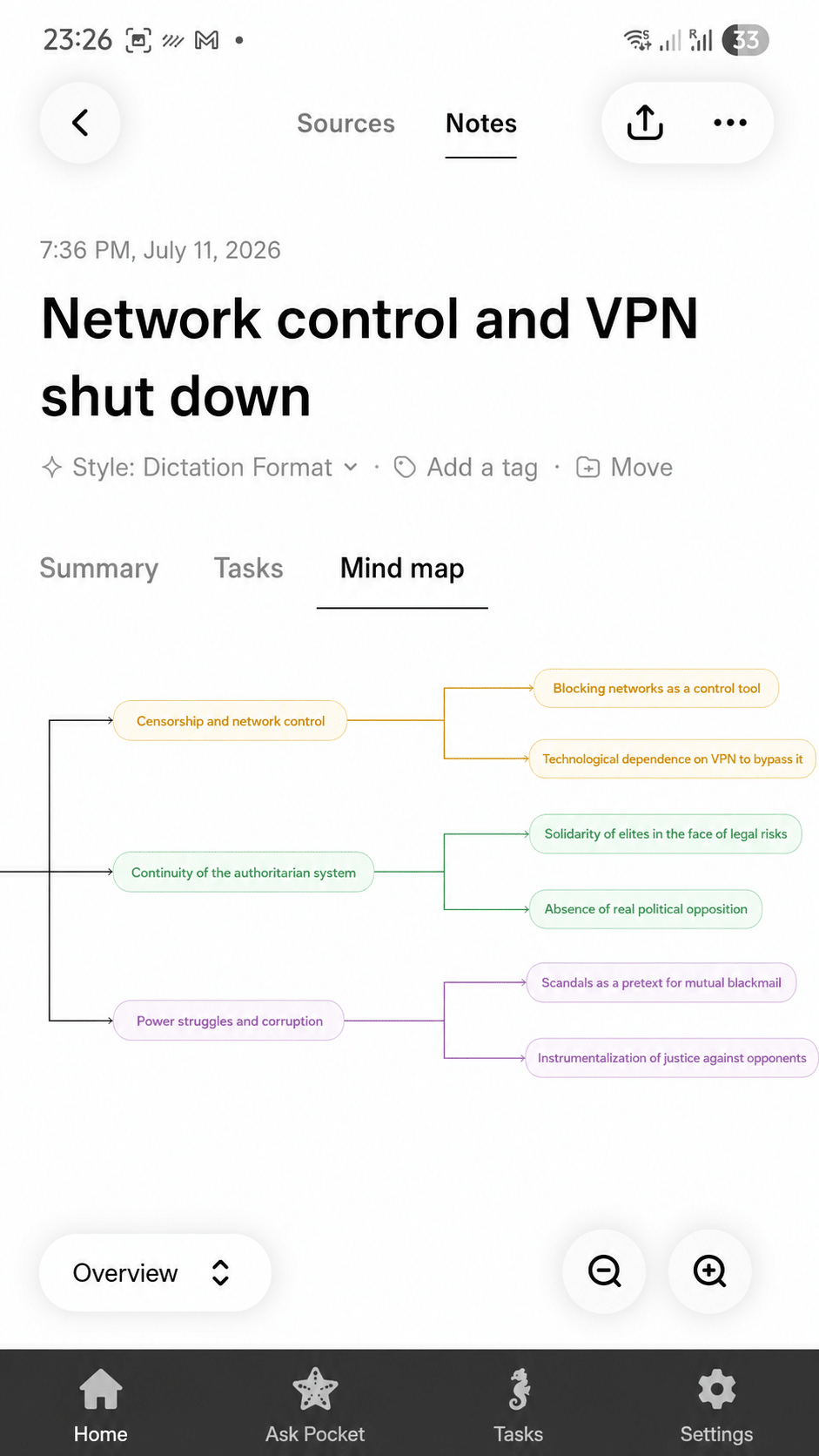
The mind map
It also builds a mind map of topics and sub-topics – a genuinely useful way to see the shape of a long strategy call or lecture at a glance.
Ask Pocket: question any recording
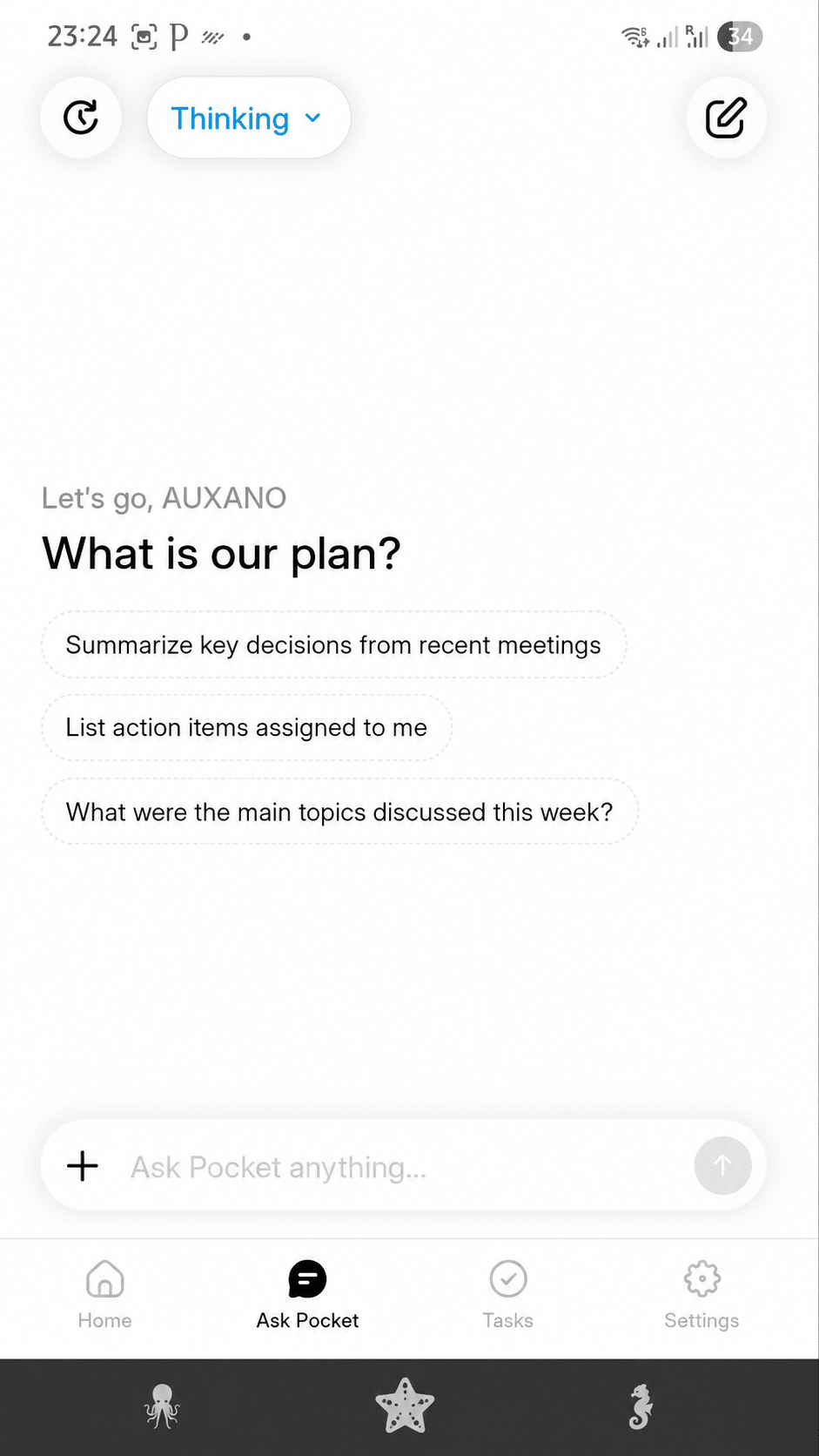
The standout is Ask Pocket: instead of re-reading a 45-minute transcript, you ask “what did we agree on the budget?” and get the answer in plain language. Your conversations become a searchable memory – the feature that most justifies the “thought companion” name.
A rare level of customization ⚙️
Beyond the defaults, Pocket lets you shape the output: assign recordings to projects, add manual tags, pin important sessions and choose how summaries are structured. On the Pro plan you can steer the AI model and templates so the notes read the way you want – control most pocket ai thought companion write-ups underrate until you rely on it daily.
My daily experience 📱
After living with it, the honest daily reality is that it disappears. It rides on the back of my phone, I press once when a conversation starts, and by the time I sit down the notes are done. Two things to get used to: don’t double-tap (you’ll split the clip), and check the battery in the app because there’s no meter on the device. Worth knowing too: much of the value comes through the paired app, so plan to keep your phone or computer nearby.
Real use cases: how I actually use it 🧩
Where the Pocket AI Thought Companion earns its keep is the ordinary week: client calls captured while I focus on the conversation; back-to-back meetings that end with a clean summary and task list instead of a notebook of fragments; lectures and interviews turned into searchable transcripts; even a walk-and-talk or a voice memo in the car that becomes a brief later. If your days are full of conversations you keep half-forgetting, that’s exactly the gap it fills.
Pocket AI Thought Companion review: pros and cons
Is Pocket AI worth it? Pricing
The hardware is a one-time ~$129 purchase, and there is a free tier with unlimited minutes for core recording and transcription, so you are not forced into a subscription just to use it. An optional Pocket Pro plan adds advanced models, AI speaker labels and higher-volume features. Against subscription-metered rivals, that is why most pocket ai review verdicts land positive – you can record all day, for years, without a monthly invoice.
Who should (and should not) buy it
The Pocket AI Thought Companion suits people who spend much of the day in conversation – founders, consultants, sales reps, students, journalists – and want an unobtrusive way to capture and search it all without minute limits. It is less compelling if you only record occasionally, if you mainly transcribe online meetings on a laptop, or if you can’t always carry a paired phone. For the head-to-head against a subscription device, see our Pocket vs Plaud comparison.
FAQ – Pocket AI Thought Companion review
What is a “thought companion”?
It is Pocket’s framing for a personal AI assistant that captures your conversations and thoughts, then turns them into transcripts, summaries, tasks and answers you can query with Ask Pocket.
Is the Pocket AI Thought Companion private?
Pocket is built local-first with end-to-end encryption; you can delete individual recordings or wipe your history and disable cloud retention after processing. As with any recorder, disclose recording where the law requires it.
Does the Pocket AI Thought Companion need a phone?
The device records on its own, but most of the AI value (summaries, Ask Pocket, search) comes through the paired app on your phone or computer, so plan to pair it.
Is Pocket AI worth it?
For daily recorders, yes: pay once (~$129), record unlimited on the free tier, and get summaries, tasks and mind maps. Occasional users may prefer a phone app.
Is there a money-back guarantee?
Yes – Pocket is sold with a money-back guarantee, so you can test these claims against your own use and return it if it does not fit.
Final verdict
Weighed honestly, the Pocket AI Thought Companion earns 4.5/5. It is a genuinely useful AI notetaker – excellent quiet-room transcription, summaries, action items, mind maps and Ask Pocket, with unlimited recording and no forced monthly bill. The fair caveats are transcription in noisy rooms, phone dependence and an app that is still maturing. If you talk for a living and want your conversations searchable, it is easy to recommend – and it ships with a money-back guarantee so you can test these claims yourself.